
Racing And Driving
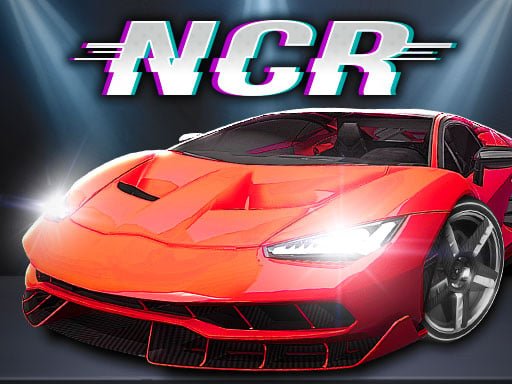
Night City Racing
4.5 / 5 · 29 votes
4,995 plays
Play Now
Play in your browser · no redirect
About Night City Racing
Night City Racing is a racing game that can be played on PC. Here's how to play the game and its features:
Gameplay:
Choose your car: You can choose from a variety of cars available in the game. Each car has its own unique set of features and attributes, such as top speed, acceleration, handling, and durability.
Select a race: You can choose from different types of races, such as circuit races, time trials, and drag races. Each race has its own set of rules and objectives.
Customize your car: You can customize your car's appearance and performance using the in-game customization options. You can change the color, add decals, and upgrade various parts of your car.
Drive and race: Use your driving skills to navigate the track, avoid obstacles, and beat your opponents. The game has various difficulty levels, from easy to hard, so you can adjust the game's challenge to your skill level.
Win and progress: As you win races and earn money, you can unlock new cars and upgrades to improve your racing performance.
Features:
Realistic graphics: The game has high-quality graphics that make the racing experience more immersive and enjoyable.
Customization options: You can customize your car's appearance and performance to your liking.
Different types of races: There are various types of races to choose from, each with its own set of rules and objectives.
Different difficulty levels: You can adjust the game's difficulty to your skill level.
Multiple camera angles: You can view the race from different camera angles, such as a third-person view or a first-person view from inside the car.
Online multiplayer: You can race against other players online and compete for the top spot on the leaderboard.
How to Play
Desktop
Use your mouse or keyboard.
Touch controls
Tap the on-screen controls if the game shows them.
On a phone, turn the screen sideways if the game feels tight. Touch support depends on the game.
 TB Avataria Life Girl
1.6k plays
 Tiger Family Simulator
2.2k plays
 Fire Boy Run Adventure Unblocked
460 plays
 Dark Lands Unblocked
4.7k plays
 Huggie & Kissy The magic temple
664 plays
 Flying Grimace
1.1k plays