
Minecraft
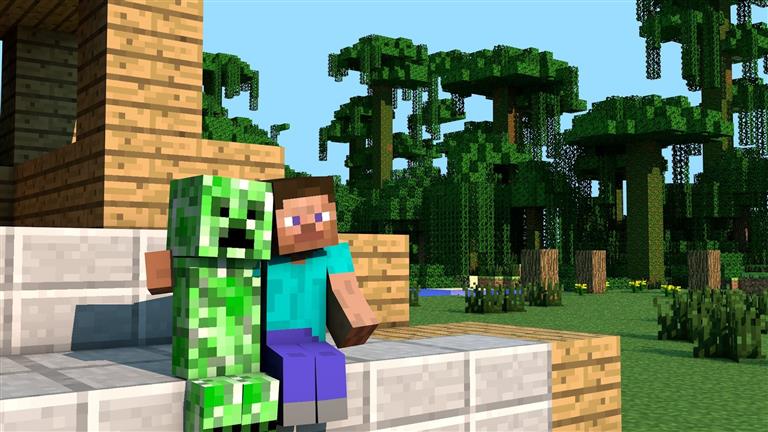
About Minecraft
This is a browser block-building game in the style of Minecraft Classic. You walk around a blocky world and place or remove blocks to build houses, towers, bridges or anything else you can imagine. There is no download and no account, so it starts in a few seconds.
It is a creative sandbox, not the full paid Minecraft: there are no mobs or crafting to worry about, just building. That makes it a quick way to sketch out a build idea or relax during a break.
How to Play
On a phone, use the game’s on-screen controls if they appear. Landscape orientation gives the player more room.
Tips for Minecraft
- Open the block menu with B and pick your materials before you start a big build.
- Build a simple frame first, then fill in the walls. It is much easier to keep things straight.
You Might Also Like
 Battboy Adventure Unblocked
3.7k plays
Battboy Adventure Unblocked
3.7k plays
 Football head sports
5.9k plays
Football head sports
5.9k plays
 Moto X3M Halloween
5.7k plays
Moto X3M Halloween
5.7k plays
 Bubble Shooter Billiards & Pool
2k plays
Bubble Shooter Billiards & Pool
2k plays
 GT Ghost Racing
828 plays
GT Ghost Racing
828 plays
 Swordsman of Persia
2.7k plays
Swordsman of Persia
2.7k plays
How to Play and Build in Minecraft Classic (Browser)
This browser game works like Minecraft Classic: a creative world where you build with blocks. Here is how to place blocks, pick materials and plan a build.
Read the full guide
1. Basic controls
- W A S D: walk, Space: jump
- B: open the block menu and choose a material
- Left mouse button: place or remove a block
- Right mouse button: switch between placing and removing
2. How to place blocks
Choose a block with B, aim at the side of an existing block or the ground, and click. The new block appears on the side you are looking at. To remove blocks, switch the mode with the right mouse button and click the block you want to break.
3. Plan your build
Start with the outline on the ground, then build the corners up to the height you want, and fill in the walls last. Working from corners keeps walls straight, which is the hardest part to fix later.
Use different blocks for the frame and the walls. It makes the shape easier to see while you build.
4. There is no survival here
Unlike the full Minecraft, there are no monsters, hunger or crafting in this version. That makes it a good place to sketch ideas quickly or relax during a break.
Guide updated October 2026.
Minecraft FAQ
Is this the official Minecraft?
No. It is a free browser game in the style of Minecraft Classic. The full game is sold by Mojang.
Do I need to download anything?
No. The game runs directly in your browser on this page.